Release 6.7.0
25 Sep. 2025
Dynamic Assets Attributes
We are excited to introduce a significant enhancement to our reporting module: the Dynamic Asset Attributes.
This update allows reports to automatically reflect the custom attributes you have defined for your assets in the Attributes List page.
Previously, reports that included asset information were limited to displaying a fixed set of standard fields. With this release, you can now:
- View Custom Attributes: all reports now include your custom asset attributes as available columns to display.
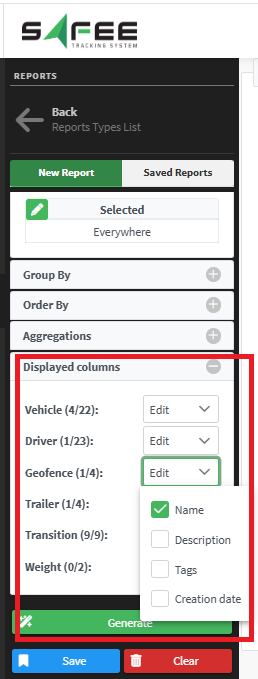
- Filter by Custom Attributes:Use your custom attributes as filters to generate more precise and relevant reports tailored to your business needs.
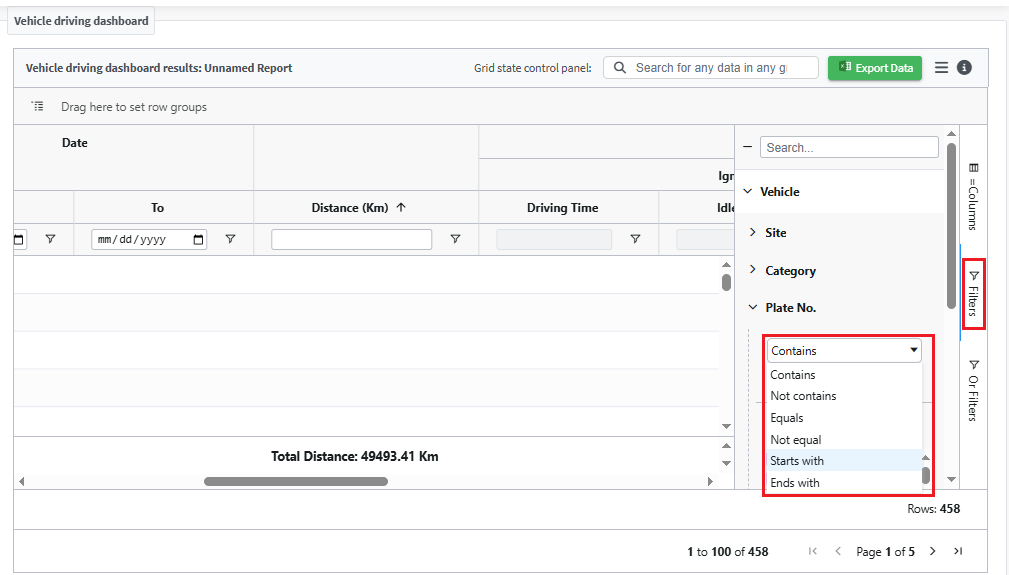
This means the reports will adapt to your specific asset configuration, providing much greater flexibility and insight.
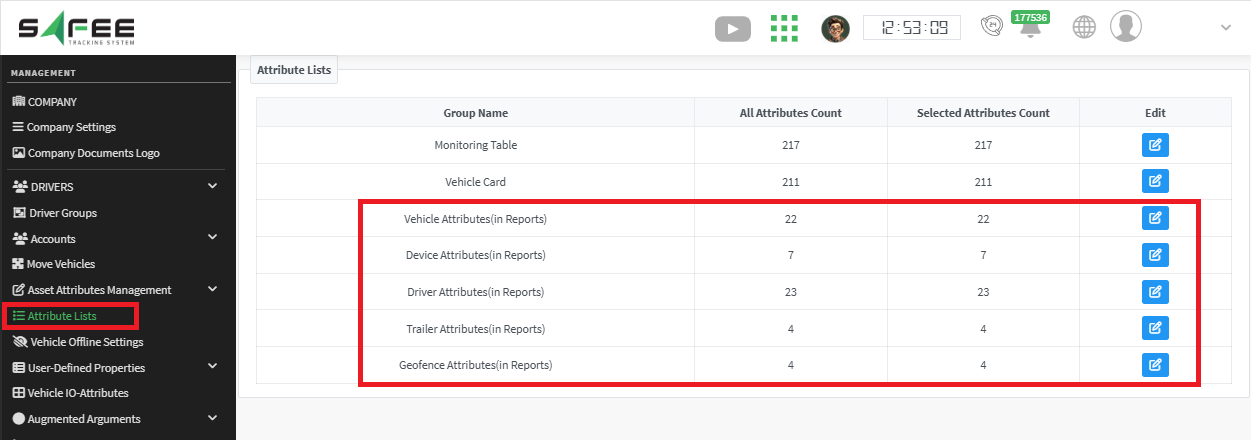
Simply specify the required attributes from the attributes list in the management page.
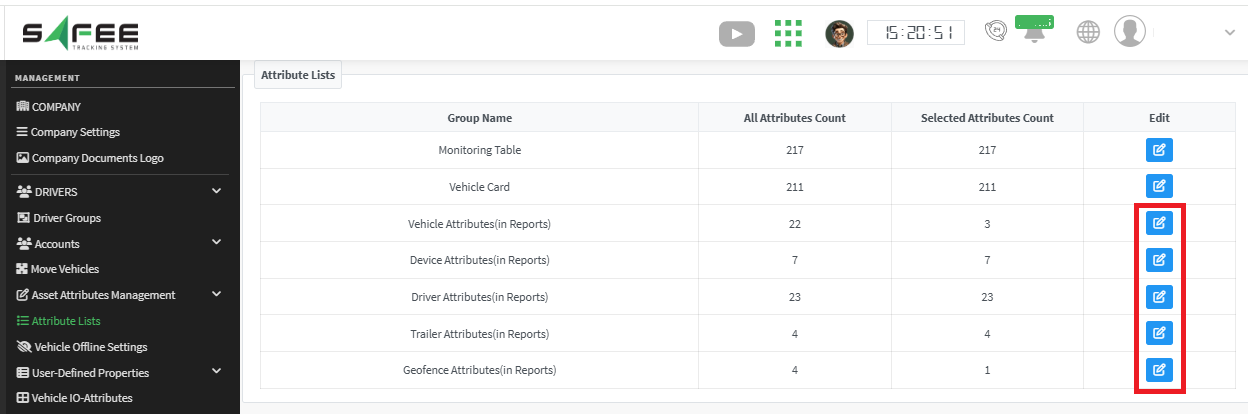
Then the selected attributes will be available in the reports’ filters.
N.B.1. For the sake of usability, we have added by default the most well-known assets attributes. That is the numbers (22, 7, 23, 4, 4) in the attributes list for (vehicles, devices, drivers, trailers, geofences) respectively. In case you want to decrease the appearing list, you will need to uncheck the undesired attributes in the attributes list page. If you need more attributes to be added other than the listed ones, please get in touch with us.
N.B.2. The attributes list is configured company-wide. So, the applied config by the company admin is reflected to all company users.
Which Reports are affected?
All platform reports are affected!
The attributes available in reports are now synchronized with your settings in the Attributes List.
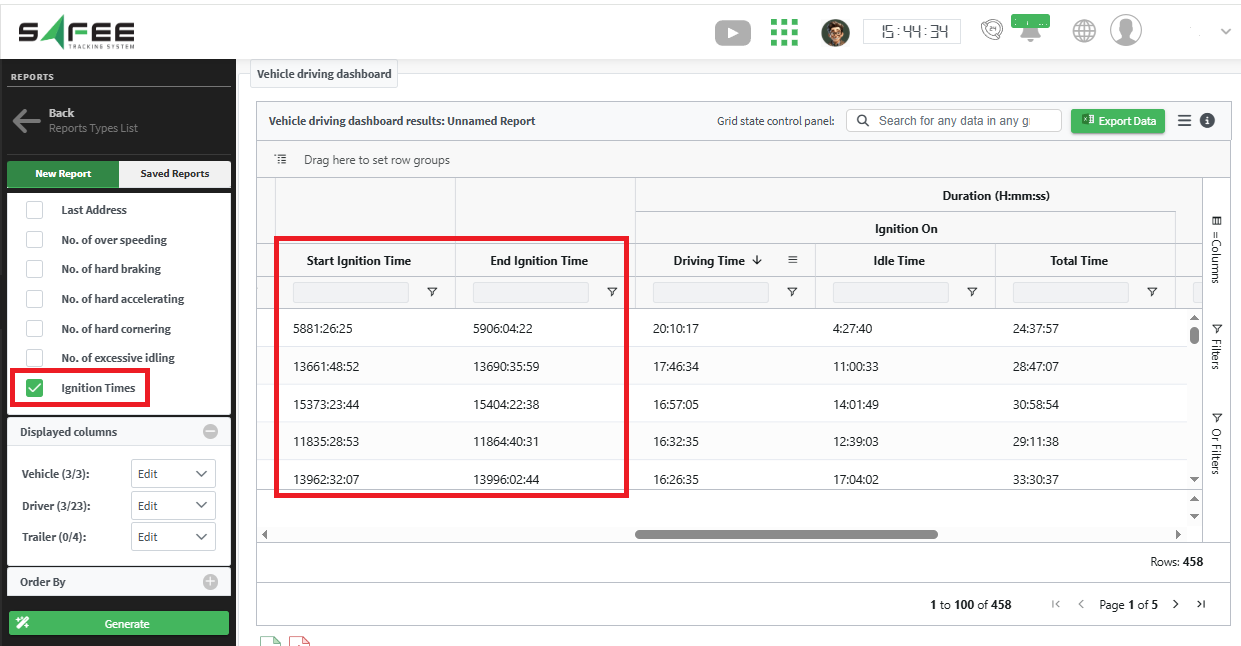
Ignition Time in Vehicle Driving Dashboard
We added two new columns to the vehicle driving dashboard report to show the ignition time of each vehicle at the date/time range beginning and the ignition time of the vehicle at the end of the date/time range. The column is hidden by default, and you need to check it at the input filters to show it at the report output.