Release 6.7.4
20 Nov. 2025
1. New Equipment Module
We’re excited to launch a new module designed specifically for tracking equipment status. With this module, you can easily monitor equipment status (e.g., active/inactive) based on vehicle data inputs.
To access this module, a module named “Equipment” is required, granting you access to module configurations.
Module Configuration
Navigate to the modules page, select the equipment module, and access vehicle configuration. Choose your preferred type of data source from the supported options, including:
- Digital input
- BLE 1 Custom #1
- Frequency (on a digital input)
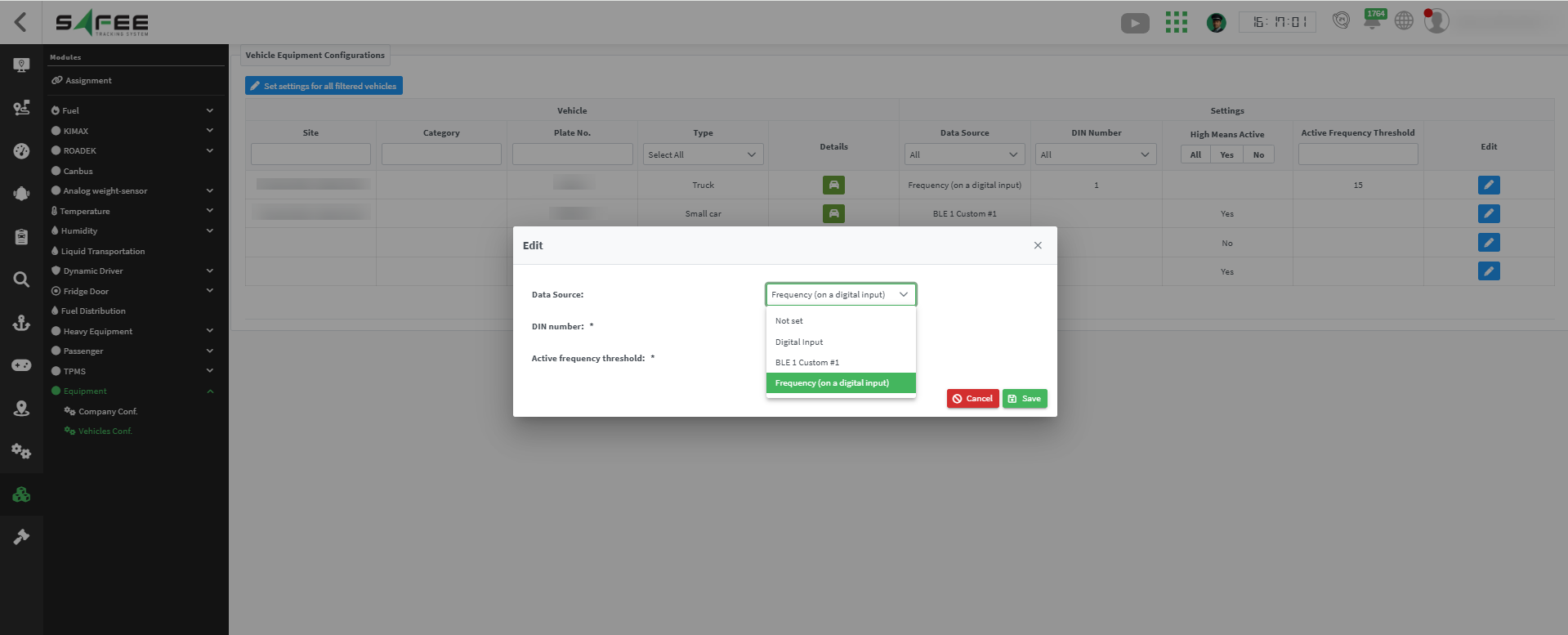
Additional configuration options:
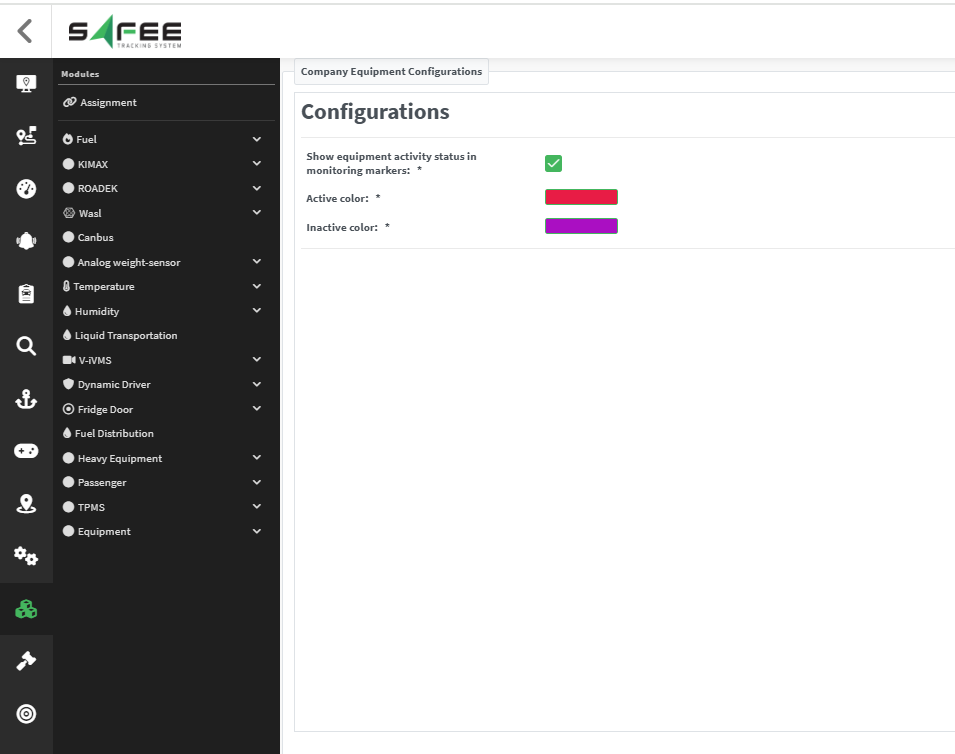
- Define the colours for Active and Inactive equipment states from the company configuration.
- Control whether the equipment status is displayed on the monitoring map.
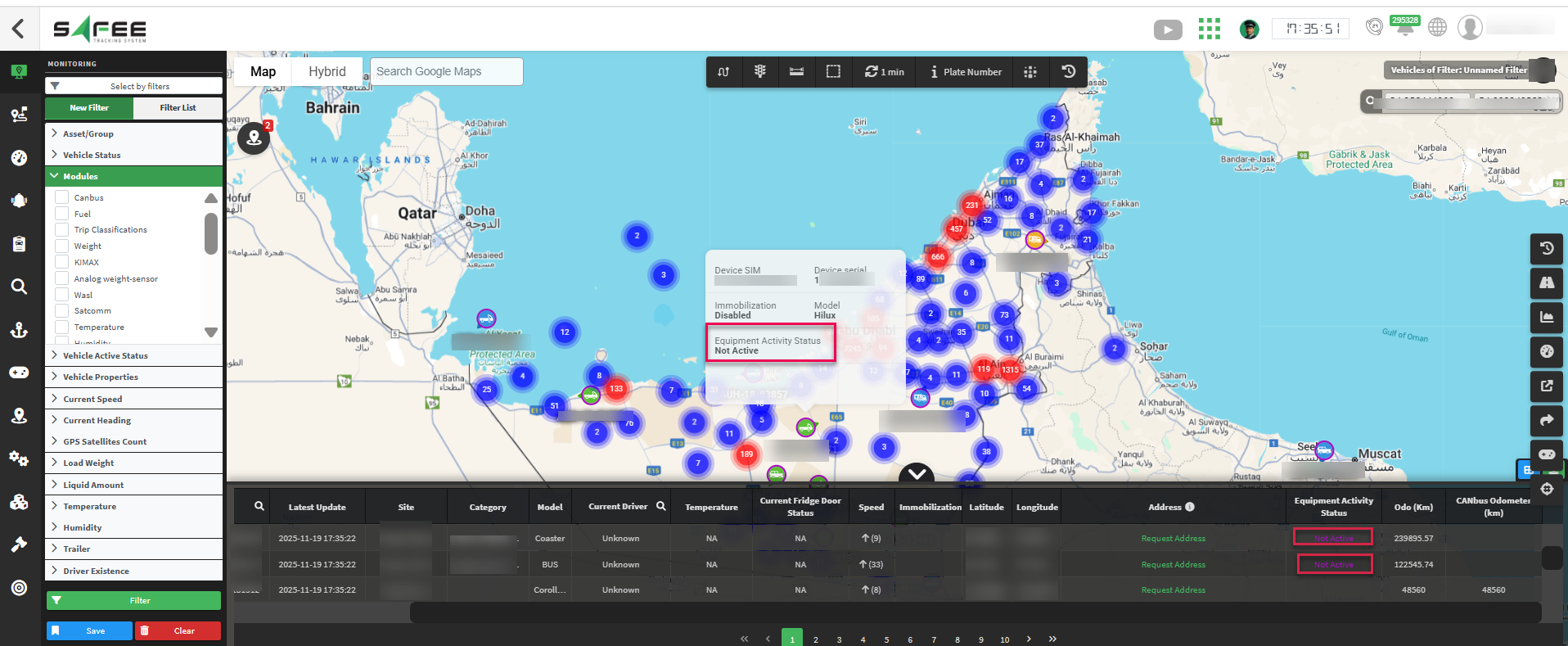
How it is added to the Monitoring page
-
The equipment activity status column in the messages table and the status on vehicle cards are now visible only for companies with the ‘Equipment’ module.
-
The color of the equipment activity status now correctly reflects the colors defined in the Company configuration.
-
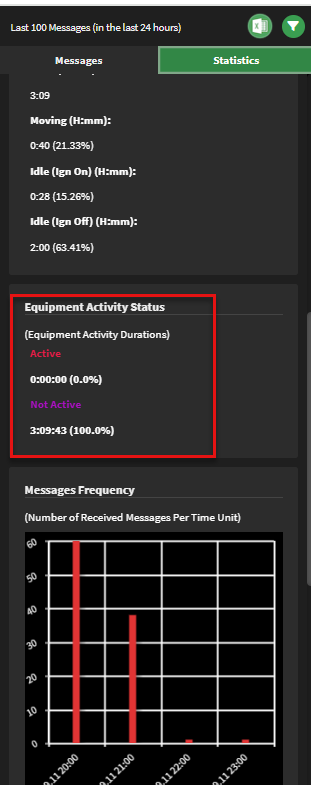
The Vehicle History page now displays the percentage of time the equipment was active or inactive within the selected date range under the Statistics tab.
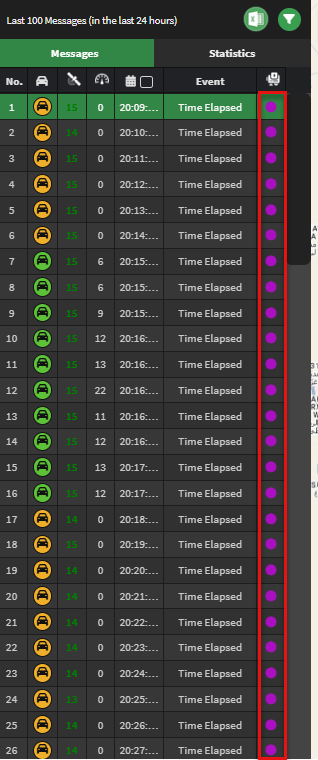
We also added a new column to the messages table to show the equipment activity status at the time of each message.
Dashboard pages
-
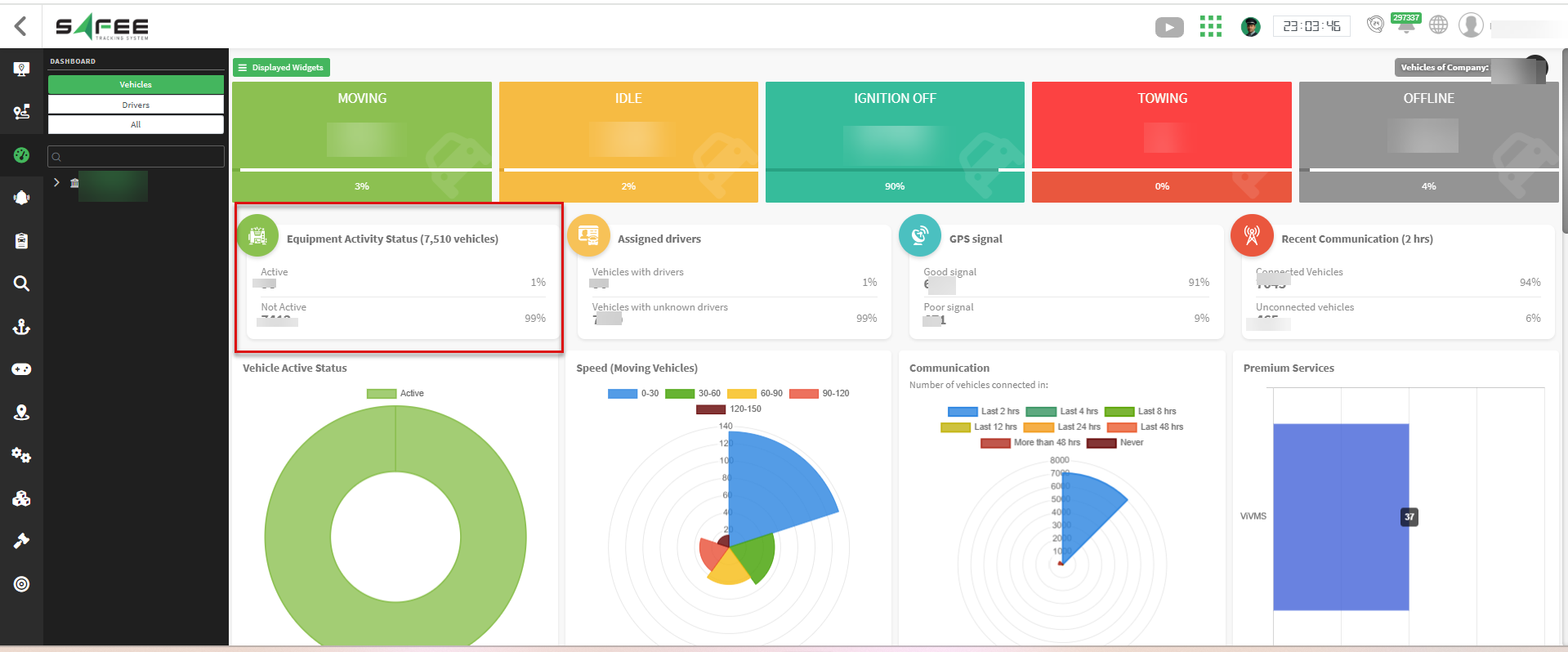
A new widget on the main dashboard shows the total count of equipment, along with breakdowns for active and inactive states.
-
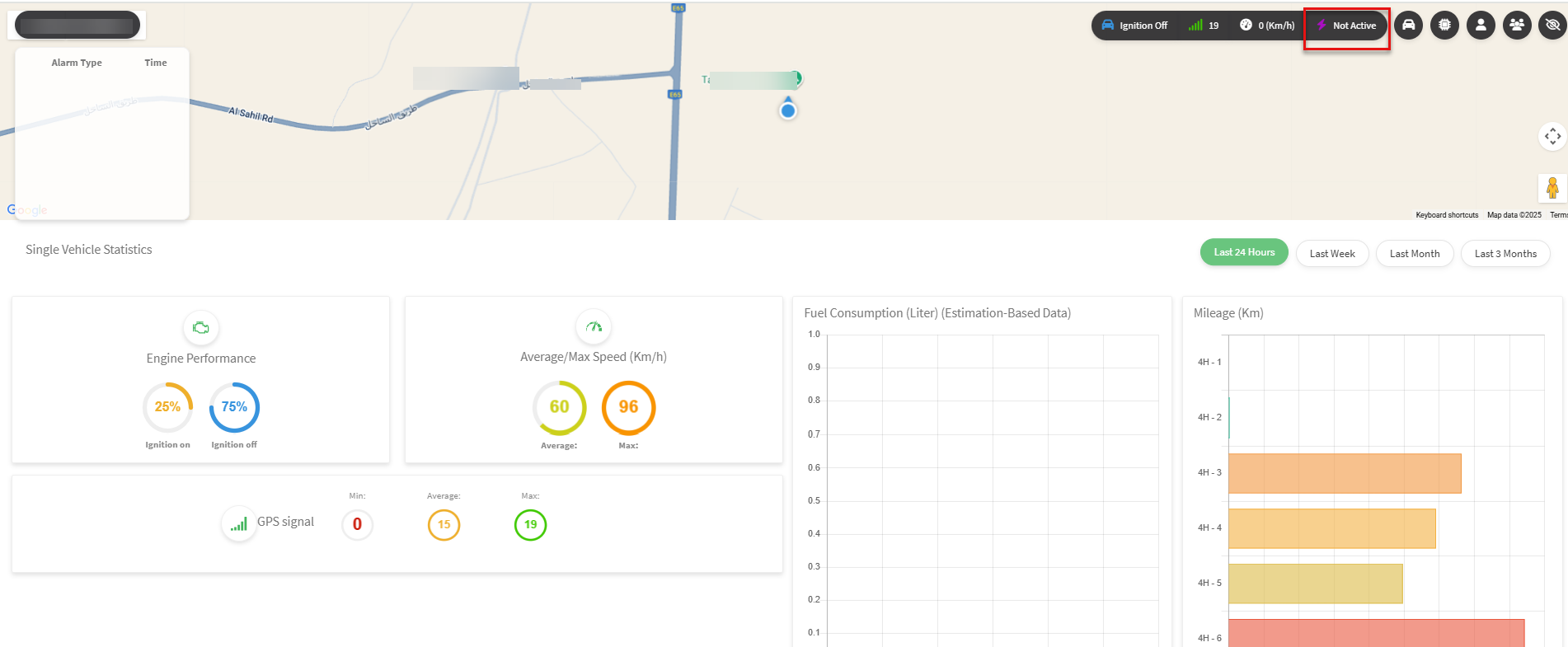
On the single vehicle dashboard, the equipment activity info now uses the colors from the company configuration and is shown only for vehicles with the module and that have sent activity data.
Other System Parts
-
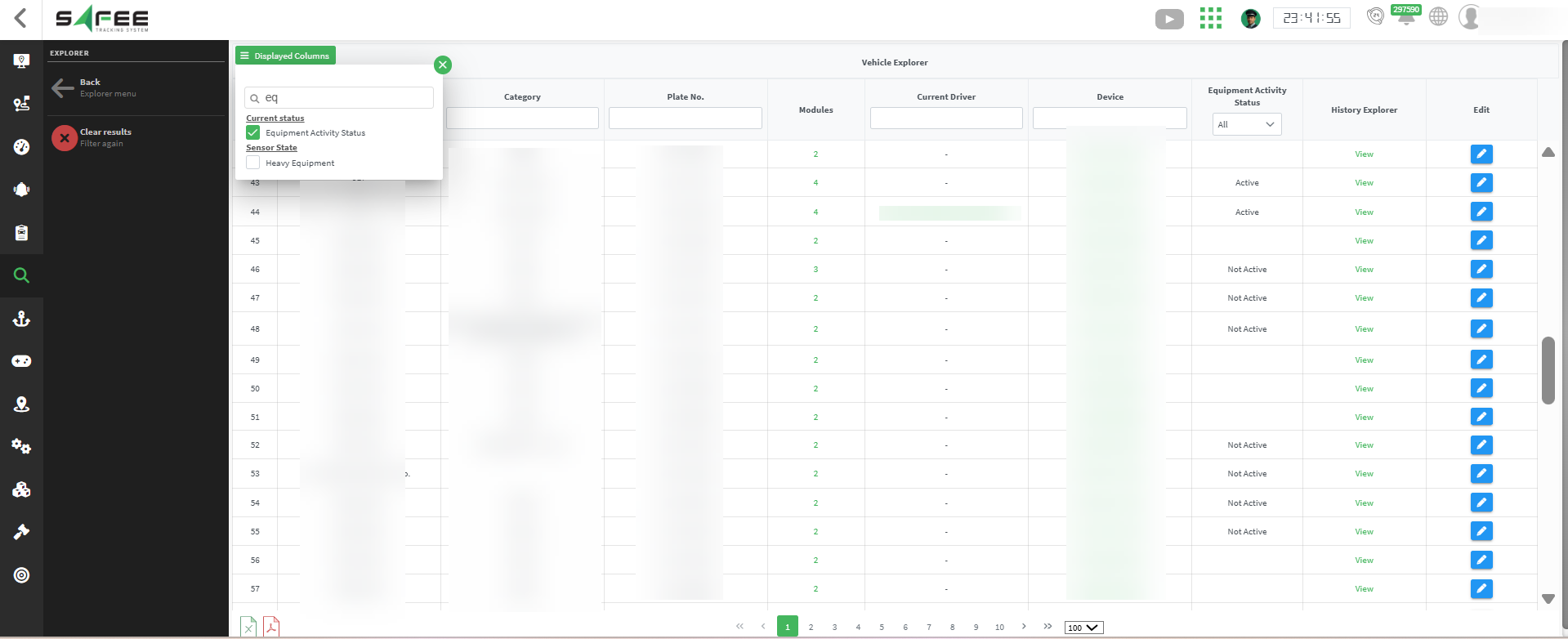
The equipment activity status column is now added to the Vehicle Explorer.
-
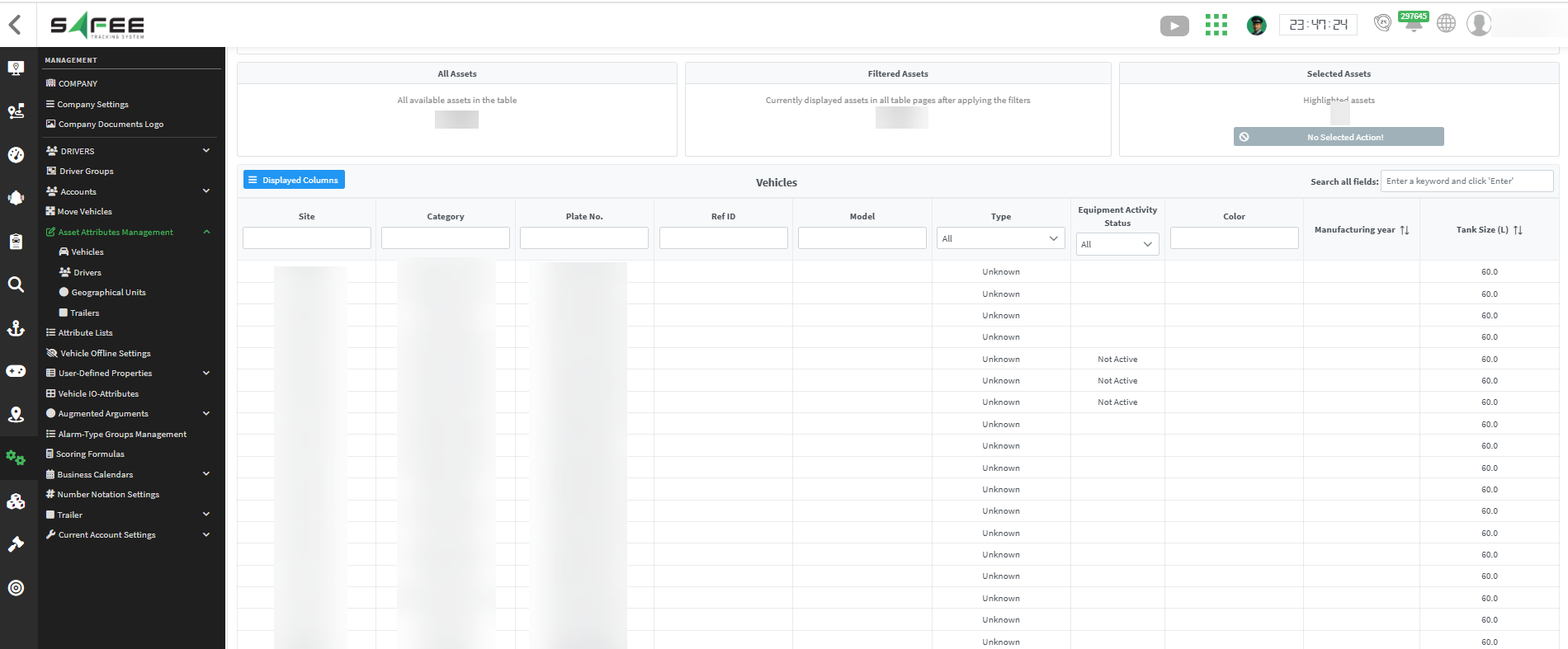
It is also added to the Vehicle Bulk Management pages for companies that have the ‘Equipment’ module.
2. New Module Filter
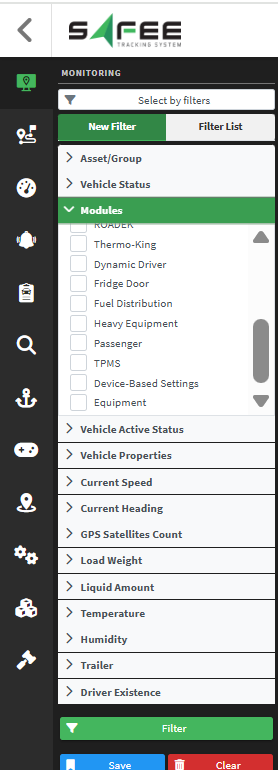
We have added a new filter to the monitoring page in the side menu to show or hide vehicles based on their assigned modules.