Release 6.8.2
12 Feb 2026
Manual Utilization Dashboard - Beta
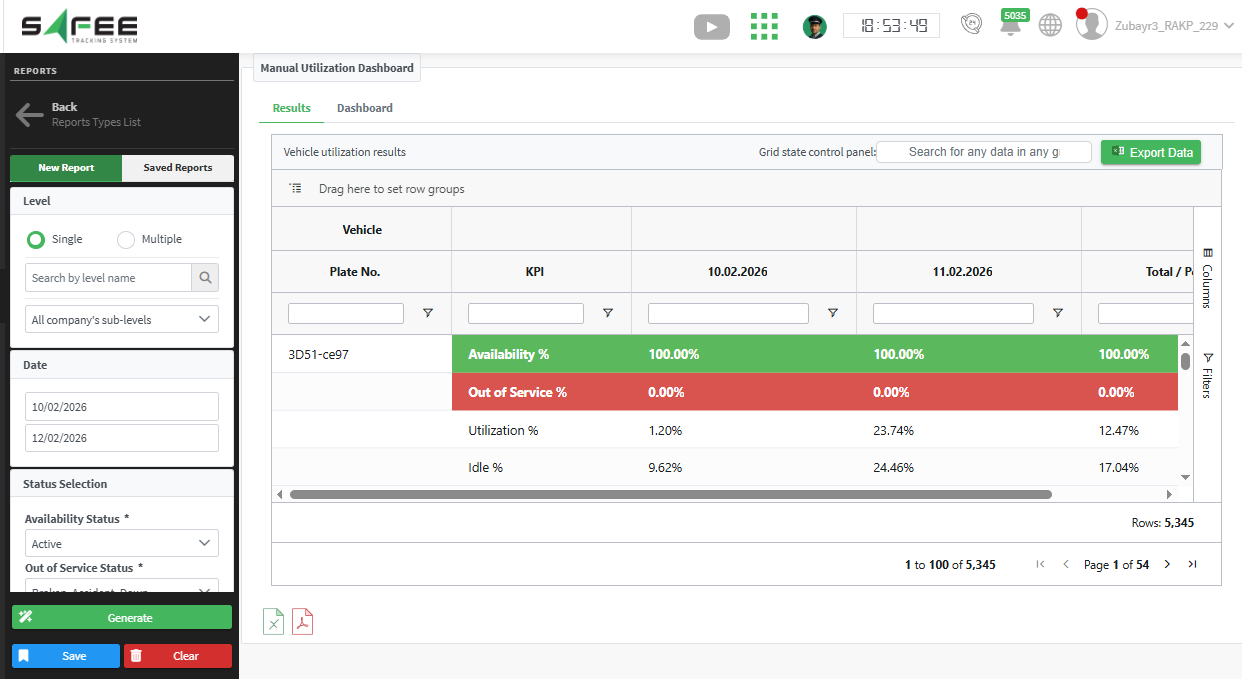
We are introducing a new report that provides full visibility into vehicle active status changes and calculates vehicle availability based on user-defined operational criteria.
Overview
The Manual Utilization Dashboard report enables organizations to monitor vehicle state transitions and measure availability over a selected time period.
The report is fully configurable, allowing users to define how availability is calculated in alignment with their business rules and operational policies.
Key Features
1. Vehicle State Change Tracking
The report tracks user actions related to changing a vehicle’s active state, including transitions between states such as:
- Active
- Broken
- Maintenance
- Sold
- Standby
- Stolen
- Any other configured states
This ensures full traceability and accountability of vehicle status changes within the selected reporting period.
2. Custom Availability Definition
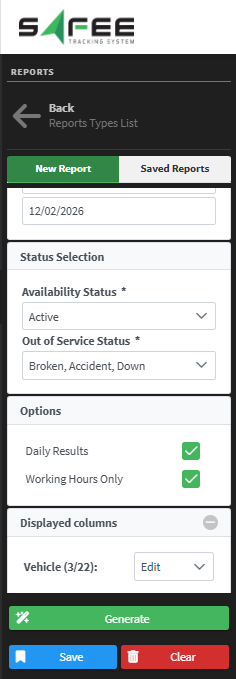
Users can configure how vehicle availability is calculated by selecting:
- States considered as Available
- States considered as Out of Service
The system then calculates availability based on the selected classification.
Availability Equation
Availability + Out of Service = 100%This guarantees a complete distribution of the vehicle’s time within the selected reporting period.
3. Date Range Selection
Users must specify a date range over which the system calculates vehicle availability. All calculations are performed strictly within the defined time interval.
4. Calculation Mode Options
The report supports two calculation modes:
-
Full Daily Basis
Availability is calculated across full calendar days. -
Working Hours Only
Availability is calculated according to the company’s configured Business Calendar, ensuring that only operational hours are considered.
5. Utilization Breakdown
In addition to availability, the report provides a detailed operational time distribution:
Utilization + Idle + Ignition Off = 100%This ensures full visibility into how available vehicle time is distributed operationally.
- Utilization – Vehicle actively in operation
- Idle – Engine running without movement
- Ignition Off – Engine switched off
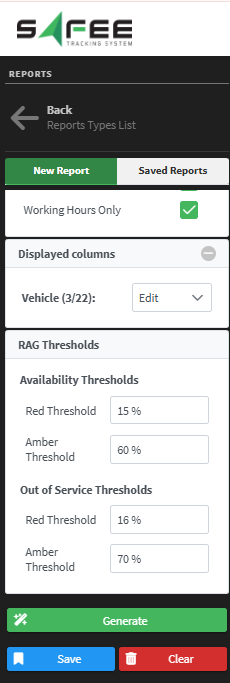
6. RAG Threshold Configuration
Users can define custom RAG thresholds to categorize vehicle performance.
- Report rows are automatically colored based on configured thresholds.
- Enables quick identification of underperforming or critical vehicles.
Temperature Module Enhancements
We are pleased to announce significant improvements to our temperature module.
You can now install two different types of temperature sensors (BLE and 1-Wire) on the same vehicle and easily retrieve temperature readings from both sensors.

Module Configurations
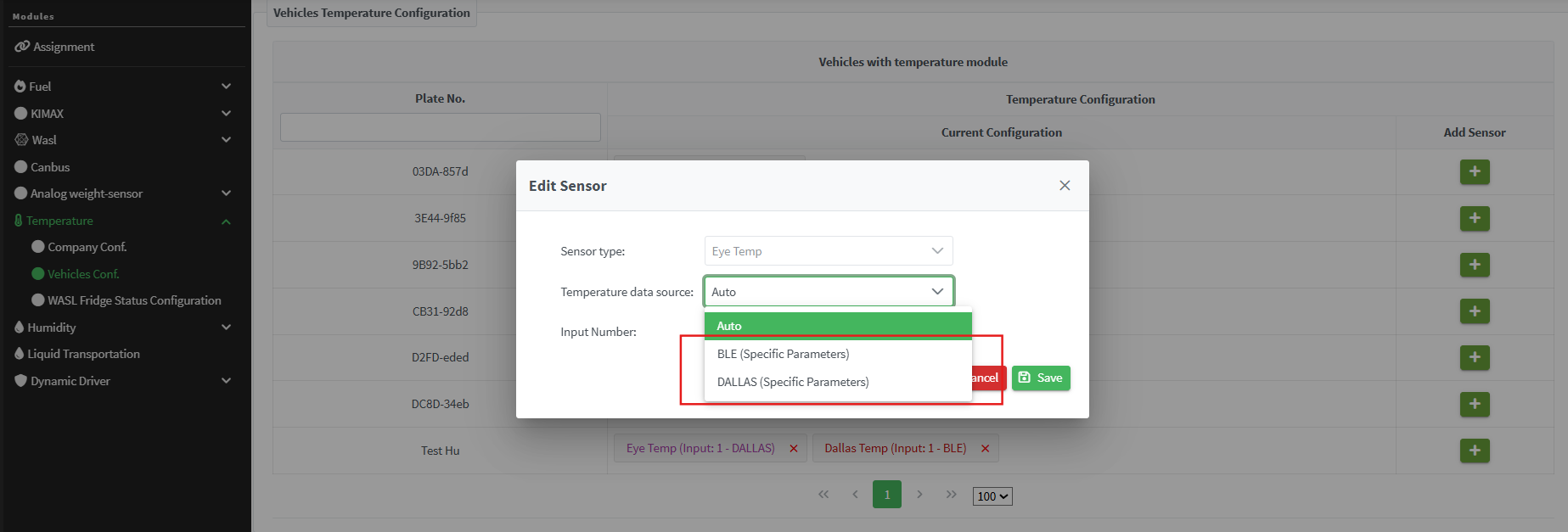
After defining the sensors on the platform, you can add them to the target vehicle and configure the options as follows:
- Sensor Type – Select the type of sensor being used.
- Temperature Data Source –
- Choose
"BLE (Specific Parameters)"for Bluetooth sensors - Choose
"Dallas (Specific Parameters)"for 1-Wire sensors
- Choose
- Input Number – Select the appropriate input number.
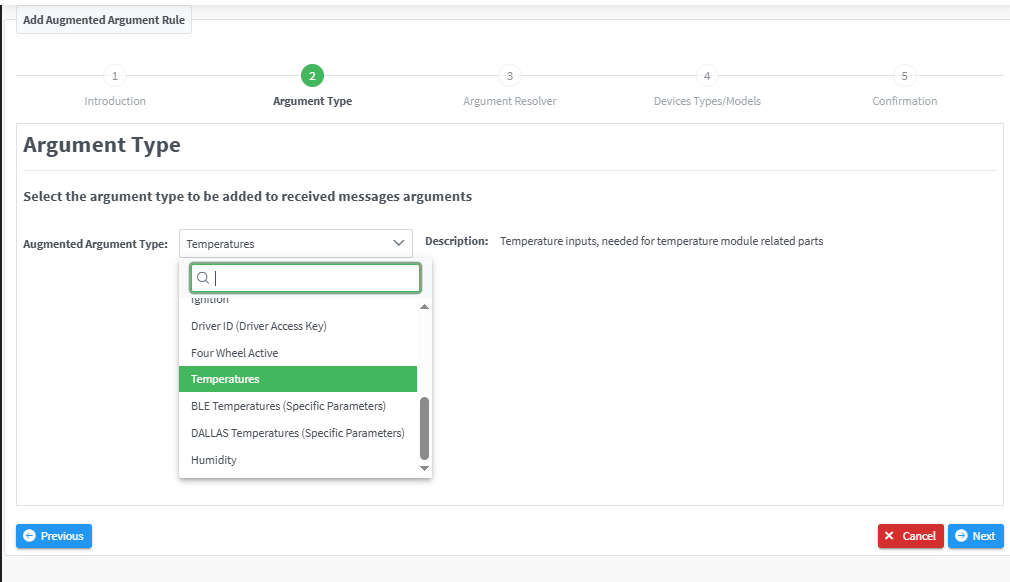
Augmented Arguments Setup
If you use two different types of sensors and want to retrieve the data correctly on the platform, you need to configure the corresponding augmented argument rules as follows:
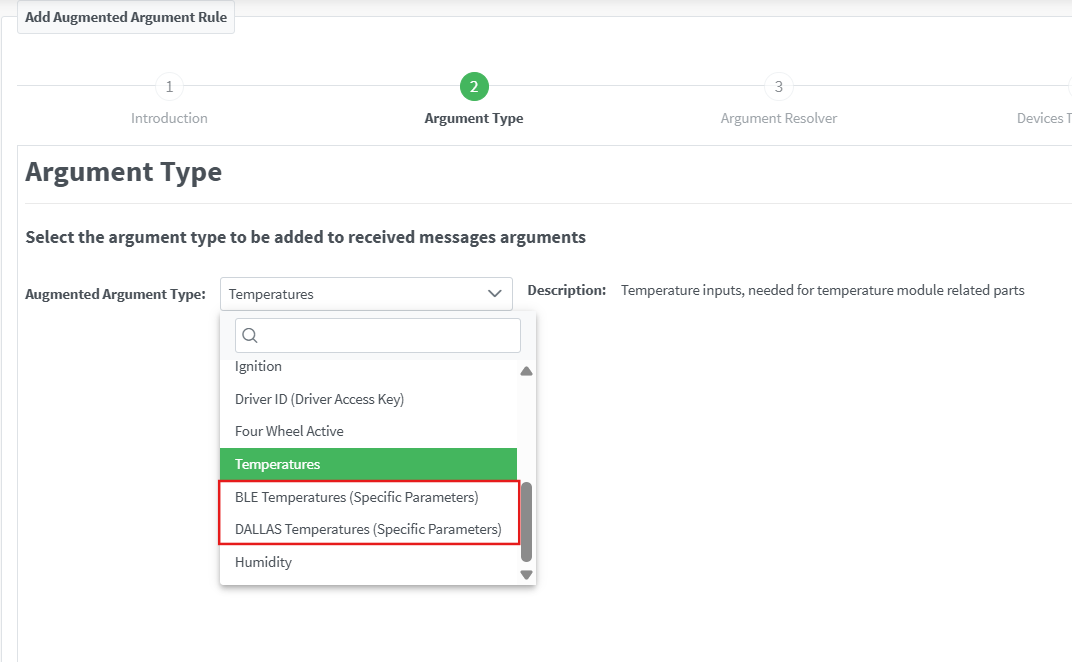
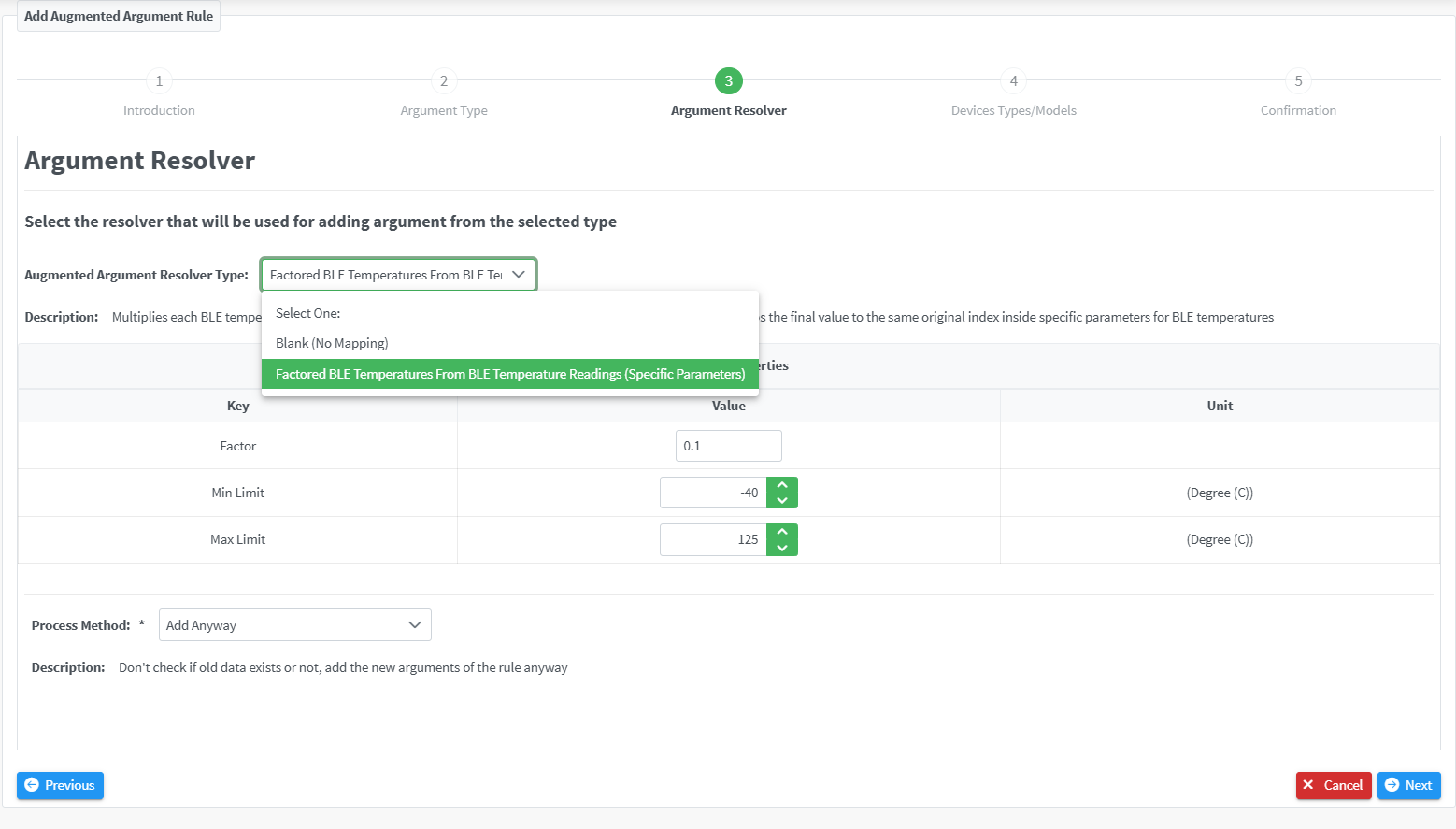
BLE Temperatures (Specific Parameters)
This type allows reading temperature values from Bluetooth sensors.
You can select the appropriate Argument Resolver in step three of the wizard and configure:
- The factor
- The acceptable value limits
DALLAS Temperatures (Specific Parameters)
This type enables reading temperature values from 1-Wire sensors.
Similar to the BLE setup, you can select the corresponding Argument Resolver in step three of the wizard and adjust:
- The factor
- The acceptable value limits

Note
We kept the old logic of retrieving temperature from one sensor type connected to the AVL device unchanged for your convenience, so you do not need to redo the setup for your existing devices.