Release 6.8.5
12 Mar. 2026
1. Geographical Alarm Heatmap
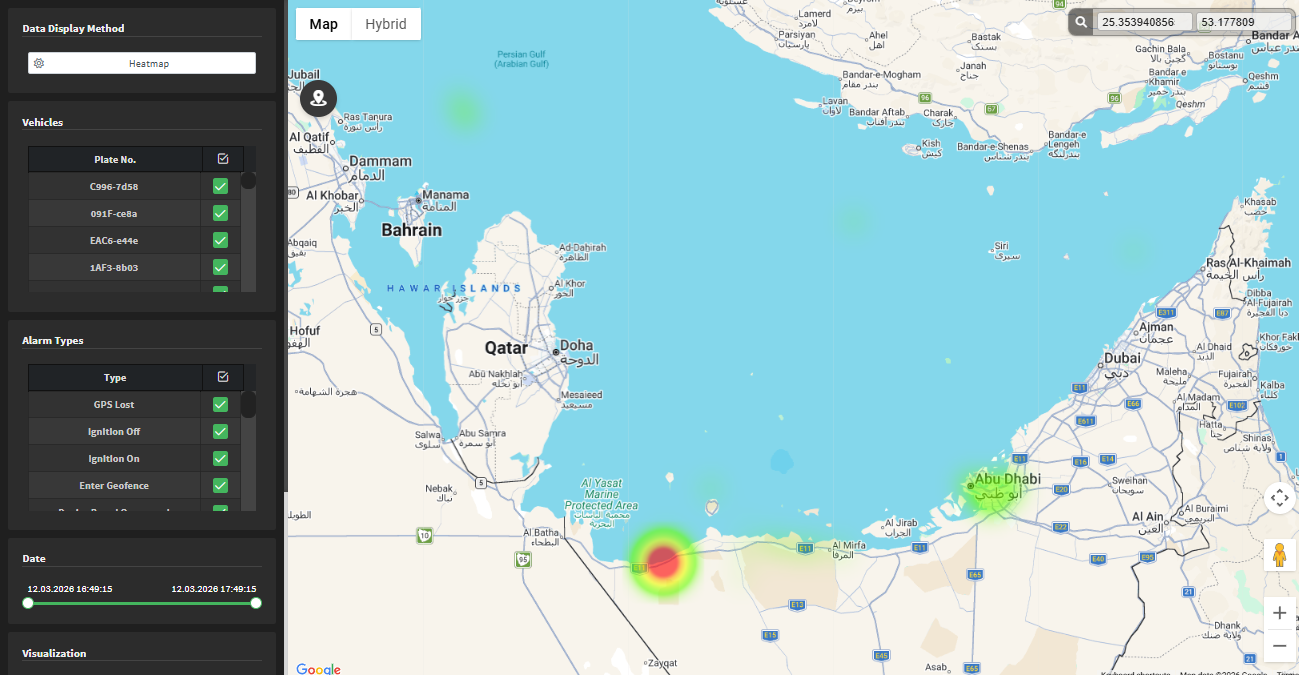
We’ve added a new way to visualize your alarms. You can now display a Heatmap view to see where your alarms are geographically concentrated.
How to Access
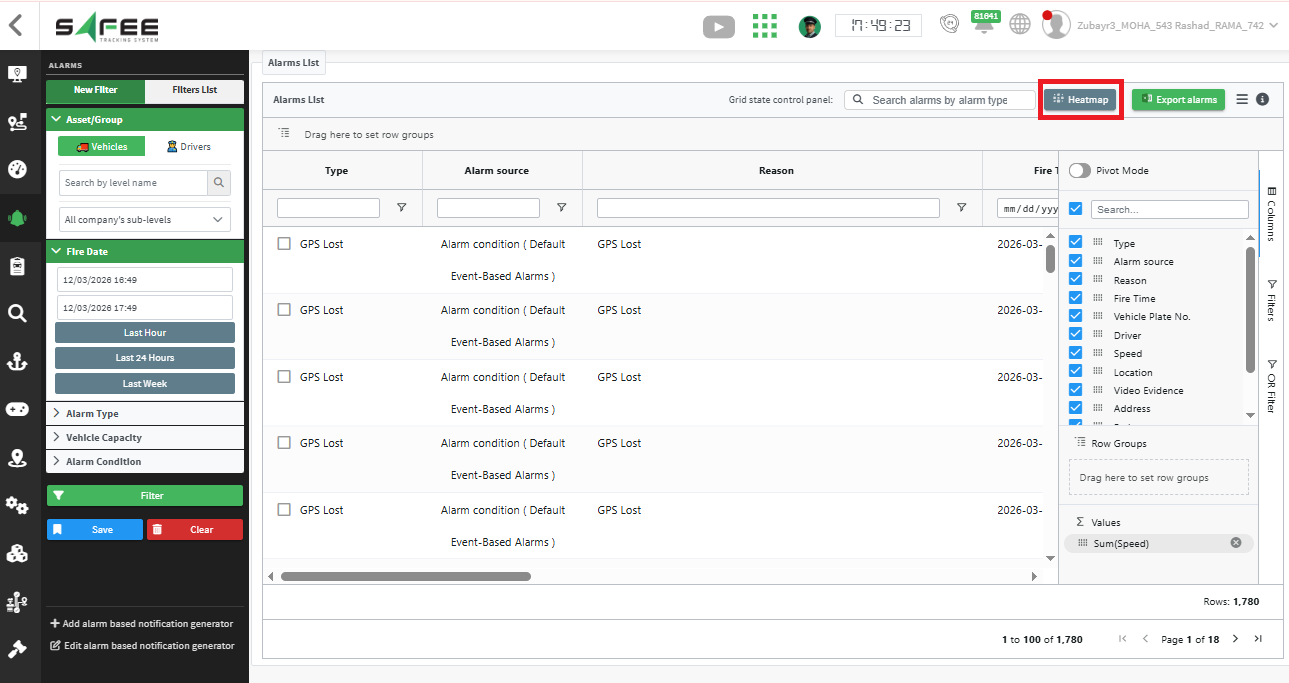
Look for the new “Heatmap” link on the Alarm Explorer page.
Note: Availability depends on access permissions granted by the partner.
Features
Easy Filtering
When you first open the heatmap, it automatically carries over the filters you had previously set in the Alarm Explorer.
Interactive Map
- Toggle between Heatmap visualization and clustered markers.
- Click on any marker to view the specific alarm details.
Refine Your View
Use the side panel filters to adjust and narrow down the exact results displayed on the map.