Release 6.10.8
19 Nov. 2026
1. New Columns in Geofence Visits Report
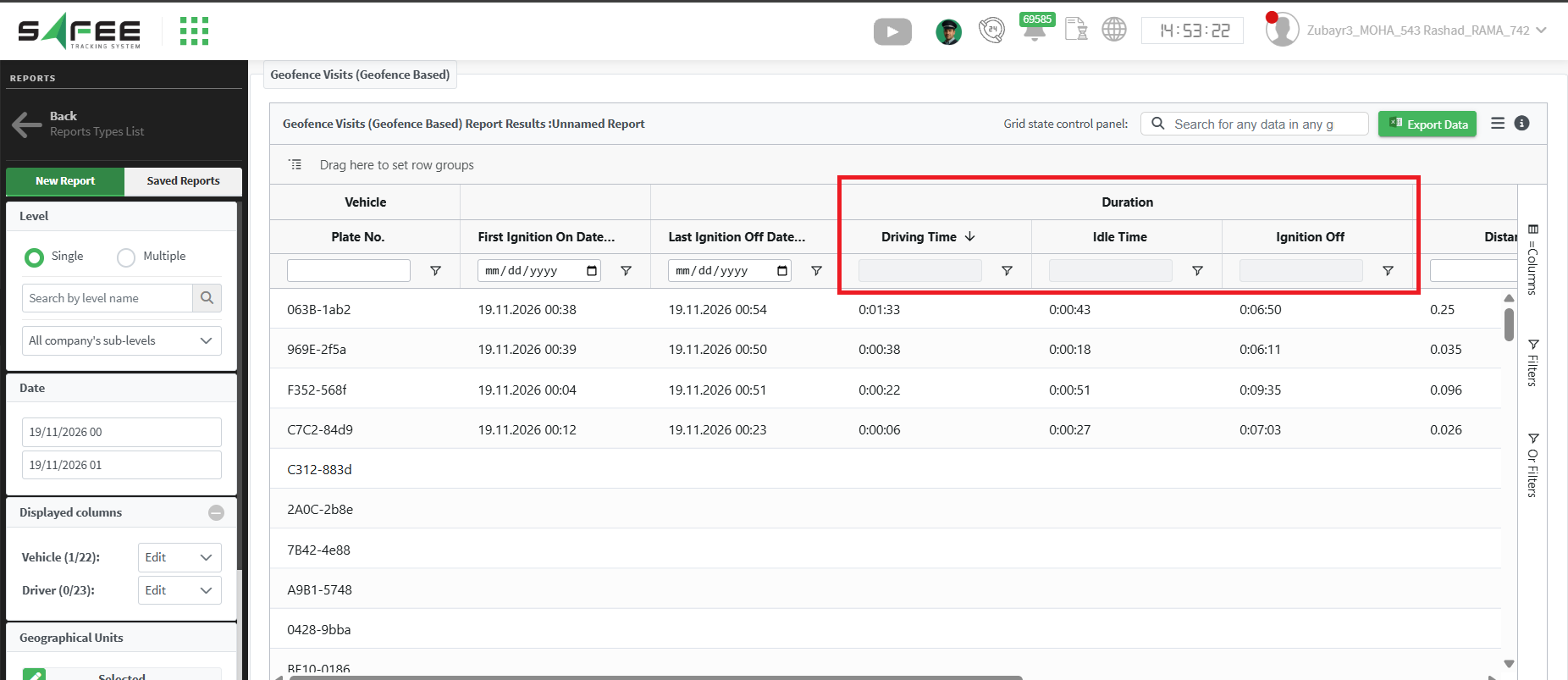
In this release, we updated The Geofence Visits (Geofence Based) report to calculate and display vehicle duration metrics. The “Non-Driving Time” column has been replaced with more specific time breakdowns.
New Enhancements
- Driving Time represents the actual driving time inside the geofence.
- Idle Time represents the actual ignition on idle time inside the geofence.
- Ignition Off Time represents the actual ignition-off time inside the geofence.
2. New Configurations for Driver App as AVL
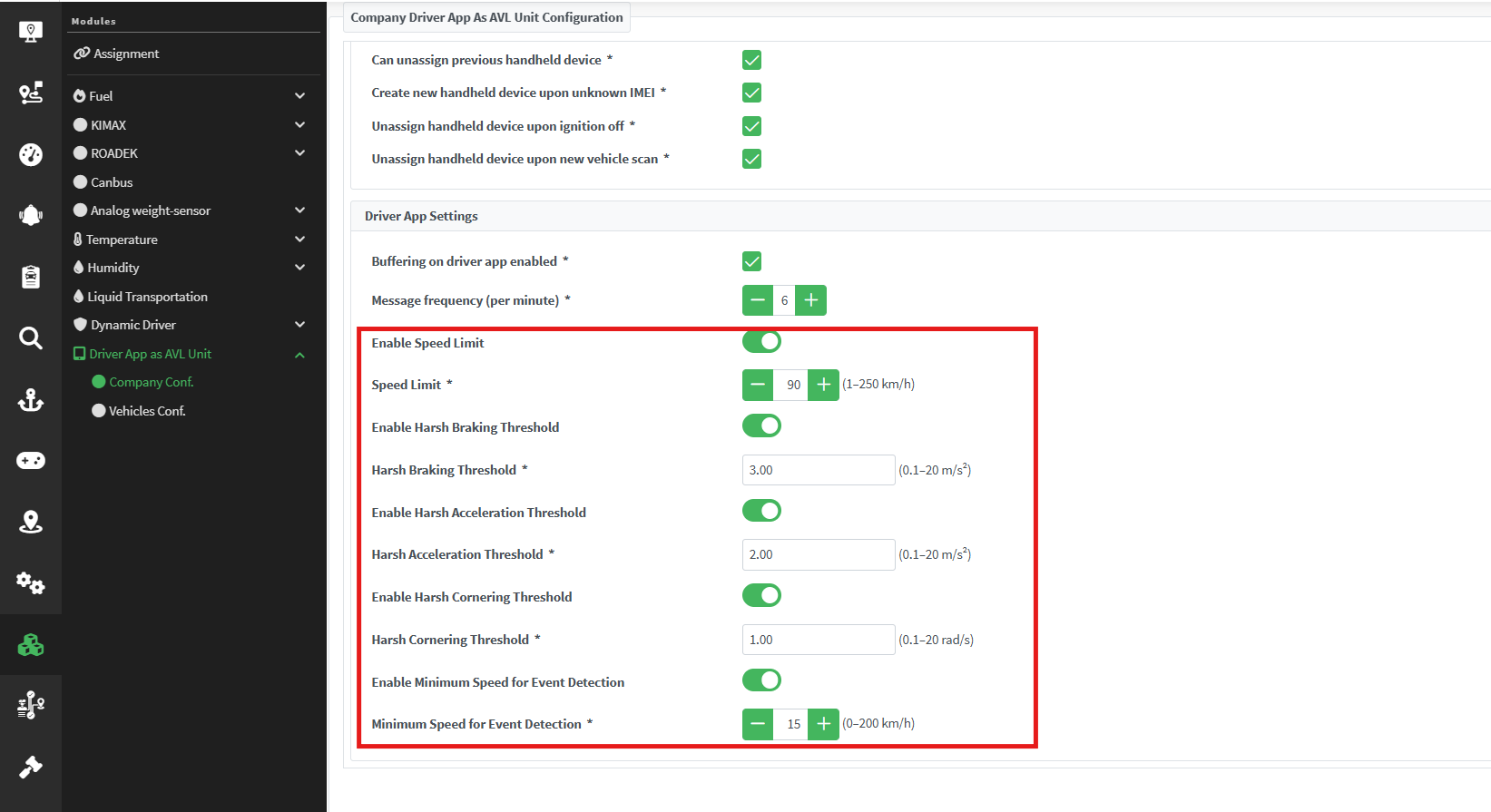
We have added new configuration settings for the “Driver App as AVL Unit” module. This allows administrators to fine-tune how driving events are detected directly from the system modules.
You can now configure the following thresholds:
- Speed Limit (km/h): The maximum allowed vehicle speed before a speeding event is triggered.
- Harsh Braking Threshold (m/s²): The deceleration rate that triggers the harsh breaking event.
- Harsh Acceleration Threshold (m/s²): The acceleration rate that triggers the harsh acceleration event.
- Minimum Speed for Event Detection (km/h): The minimum vehicle speed required for the app to begin recording driving events
- Harsh cornering threshold (rad/s): The maximum allowable rotation rate.