Release 6.9.4
23 Apr. 2026
Vehicle History Page Improvements (Fridge Door Module)
The vehicle history page now shows stops and fridge door activity during the stops -if available- for vehicles with the Fridge Door module.
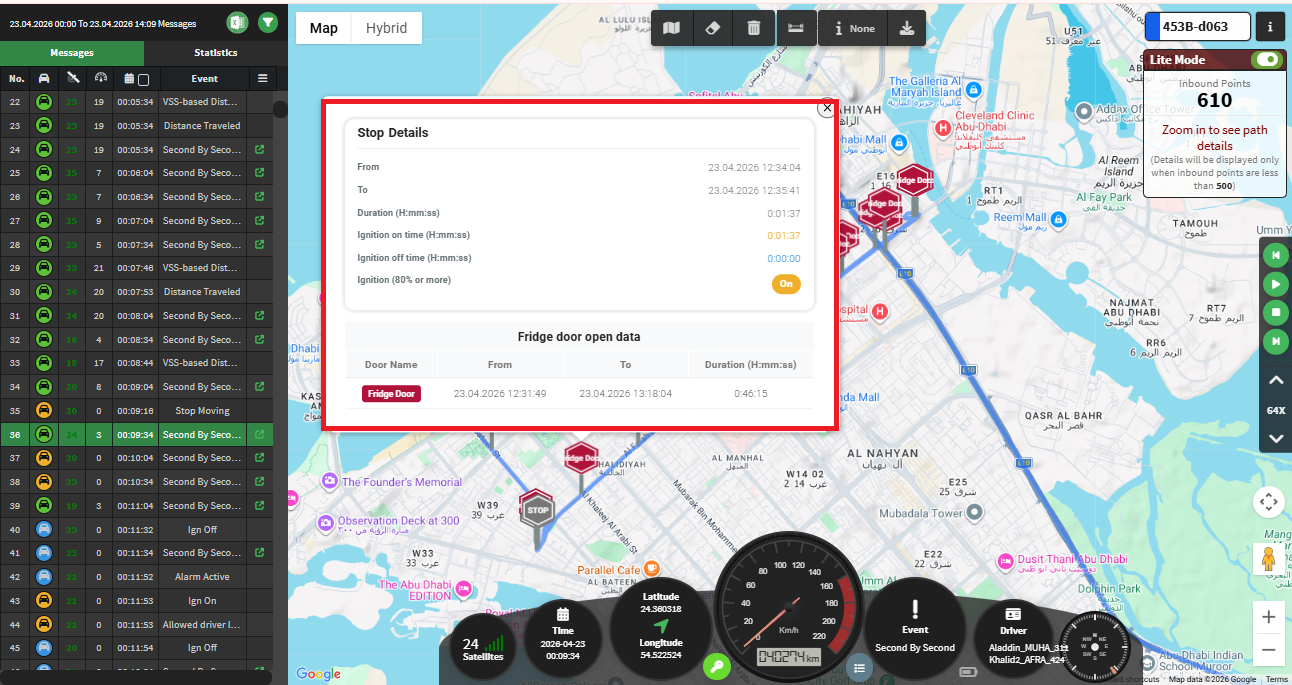
Stops on the Map
- A stop is detected when the vehicle speed is 0.
- Stops are shown on the map with clear markers:
- Red “STOP”: No doors were open.
- Colored marker with door name: One door was open.
- Gray “STOP”: Multiple doors were open or one door opened multiple times.
- Very short stops (like traffic lights) are ignored unless something important happened (e.g., door opened or ignition turned off).
- Periods where the vehicle is offline are not counted as stops.
Door Activity During Stops
- Door openings are linked to stops when they happen during the stop.
- Ongoing door openings are shown if they started during the stop.
More Details
- Click on any stop marker to see:
- Stop duration
- Door activity during the stop
- Ignition status (ON or OFF), when clearly determined