Release 6.9.9
25 June 2026
1. Dynamic Driver Reassignment Configuration
To provide greater control over the Dynamic Driver module and address cases where some devices generate frequent ignition ON/OFF fluctuations, new company-level configurations have been introduced for the automatic driver reassignment feature.
Feature Enable/Disable Control
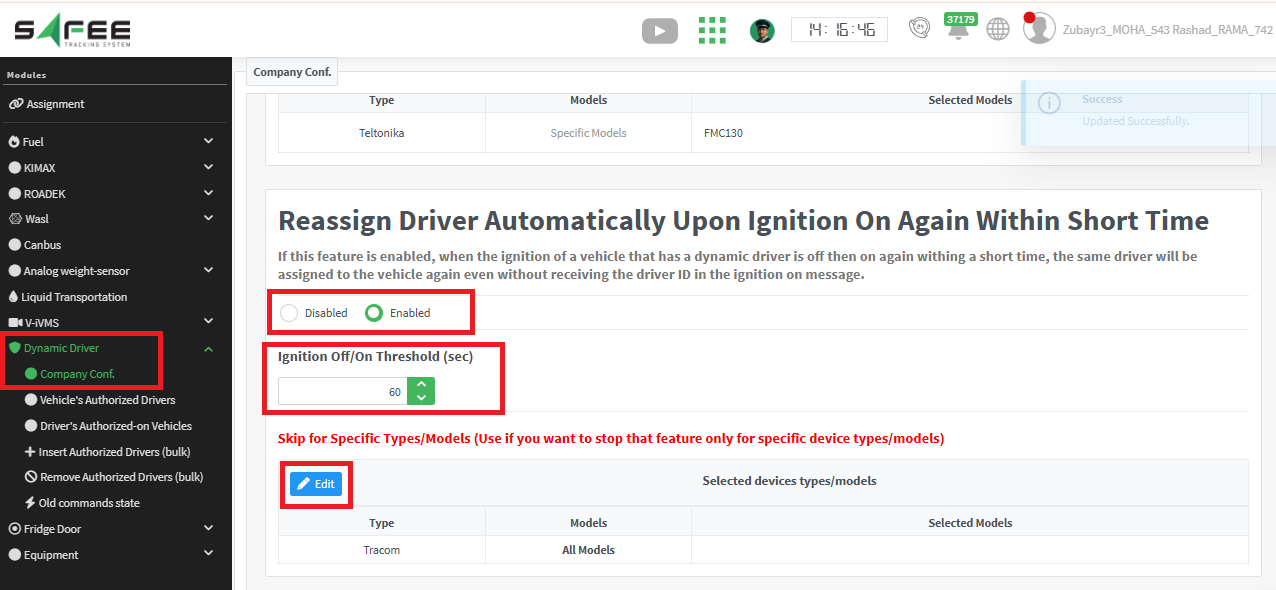
A new company-wide setting allows administrators to enable or disable the automatic driver reassignment feature.
When enabled, if a vehicle’s ignition is turned off and then turned on again within the configured Ignition OFF/ON Threshold, the previously assigned driver will be automatically reassigned if no driver ID is received with the new trip messages.
Configurable Ignition OFF/ON Threshold
Administrators can specify a time threshold (in seconds) after ignition off. If the vehicle’s ignition is turned on again within this period and no new driver ID is received, the previously assigned driver will be automatically reassigned.
- Default Value: 60 seconds
Device Type / Model Exclusion List
An exclusion list has been added, allowing specific device types or models to bypass the automatic reassignment feature.
This is useful for device models that may generate frequent or unstable ignition transitions, preventing unnecessary driver unassign/reassign cycles.
- Default Behavior: No device types are excluded.
Benefits
- Provides flexibility in managing dynamic driver assignment behavior.
- Reduces unnecessary driver reassignment operations caused by unstable ignition signals.
- Allows problematic device types/models to be excluded without affecting the feature for other devices.
- Improves system performance by minimizing excessive driver assignment updates.
2. Device-Specific Events Report Enhancements
The Device-Specific Events report has been enhanced to provide additional information and improve event analysis capabilities.
Vehicle Description Column
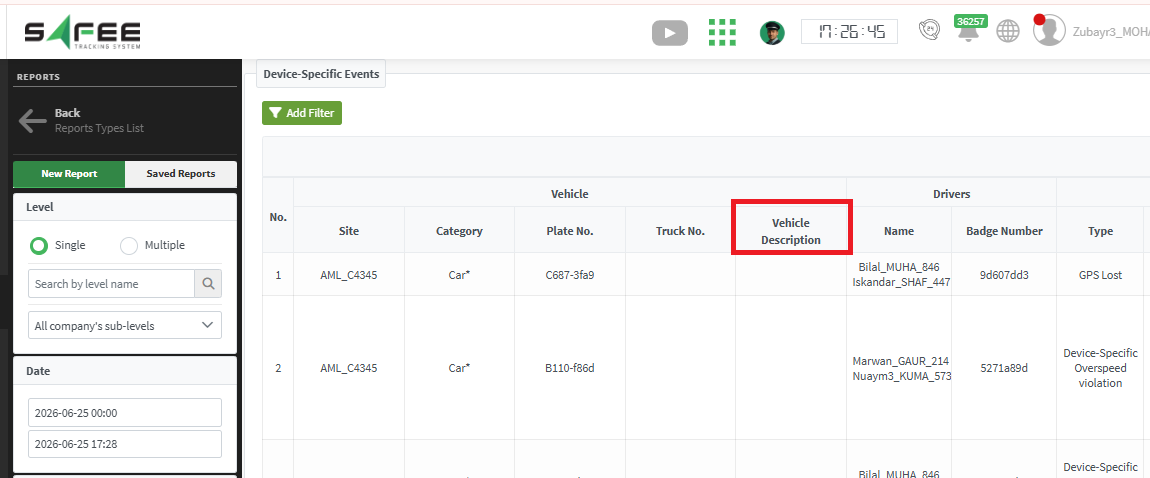
A new Vehicle Description column has been added to the report.
This column displays the value entered in the vehicle Description field (on the vehicle properties page), allowing users to easily identify vehicles using custom descriptions defined in vehicle properties.
Violation Duration Column
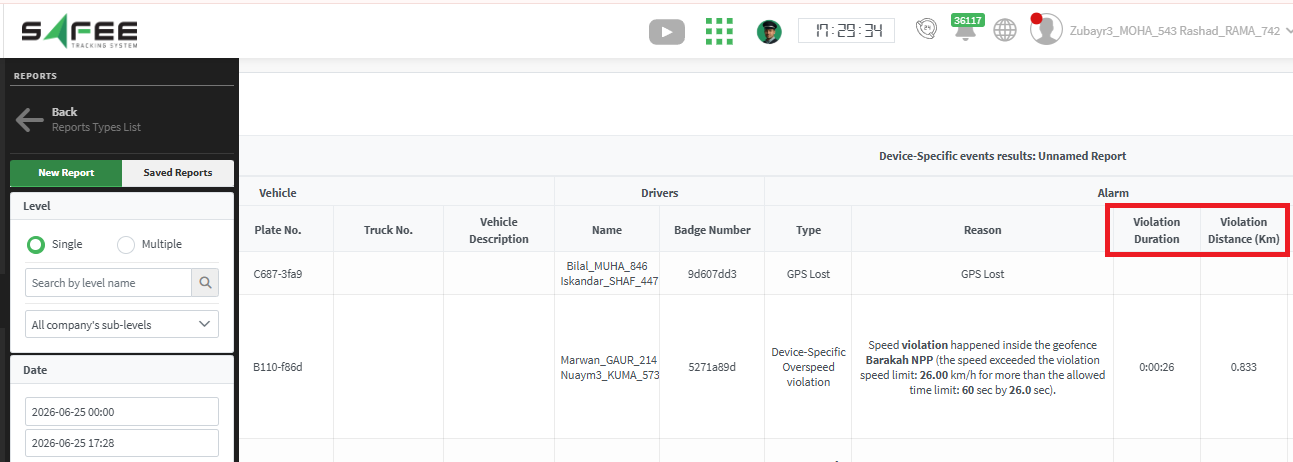
A new Violation Duration column has been introduced.
The column displays the actual duration of each violation, providing a clear indication of how long the violation lasted and improving event analysis and reporting accuracy.
Violation Distance Column
A new Violation Distance column has been added.
This column displays the total distance traveled during the violation period, helping users better understand the severity and impact of the reported event.
Export Enhancements
The newly added columns are available in:
- Device-Specific Events report view
- Excel exports
3. Driver Trip Report Enhancements
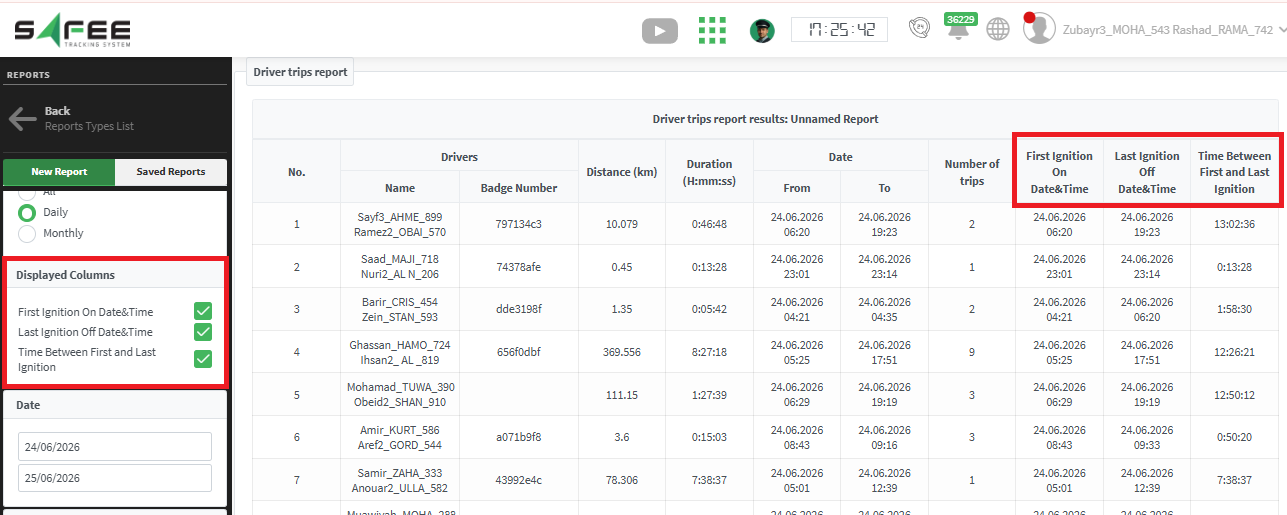
The Driver Trip report has been enhanced with new ignition-related metrics, providing additional visibility into vehicle usage patterns and driver activity during the selected period.
New Report Columns
First Ignition ON Time
Displays the timestamp of the first ignition ON event recorded during the selected period.
Last Ignition OFF Time
Displays the timestamp of the last ignition OFF event recorded during the selected period.
Time Between First and Last Ignition
Displays the total time between the first ignition ON event and the last ignition OFF event during the selected period.
Note: The Time Between First and Last Ignition column is available only when the report is generated using Daily Aggregation.